Add Hyper Search to your site
Add two Hyper Search containers to your BigCommerce Stencil theme, then enable the storefront integration in the app.
Download a copy of your current theme and make these changes in a duplicate. Test the duplicate before applying it to your live storefront.
Add the search box to the header
Add this element where the search input should appear:
<div class="s48_hypersearch"></div>
In Cornerstone, replace the contents of templates/components/common/quick-search.html with:
<div class="container">
  <div class="s48_hypersearch"></div>
</div>
The legacy-looking s48_hypersearch class is still required by the current storefront application.
Replace the search results
Add the results element where the full results page should appear:
<div id="s48_hypersearch-results"></div>
In Cornerstone, replace templates/pages/search.html with:
The s48_hypersearch-results ID is also required by the current storefront application.
Enable Hyper Search
- Upload and apply your edited theme.
- Open Settings > Storefront in Hyper Search.
- Enable the storefront integration and save.
- Test the header input, autocomplete or overlay, and the full search results page.
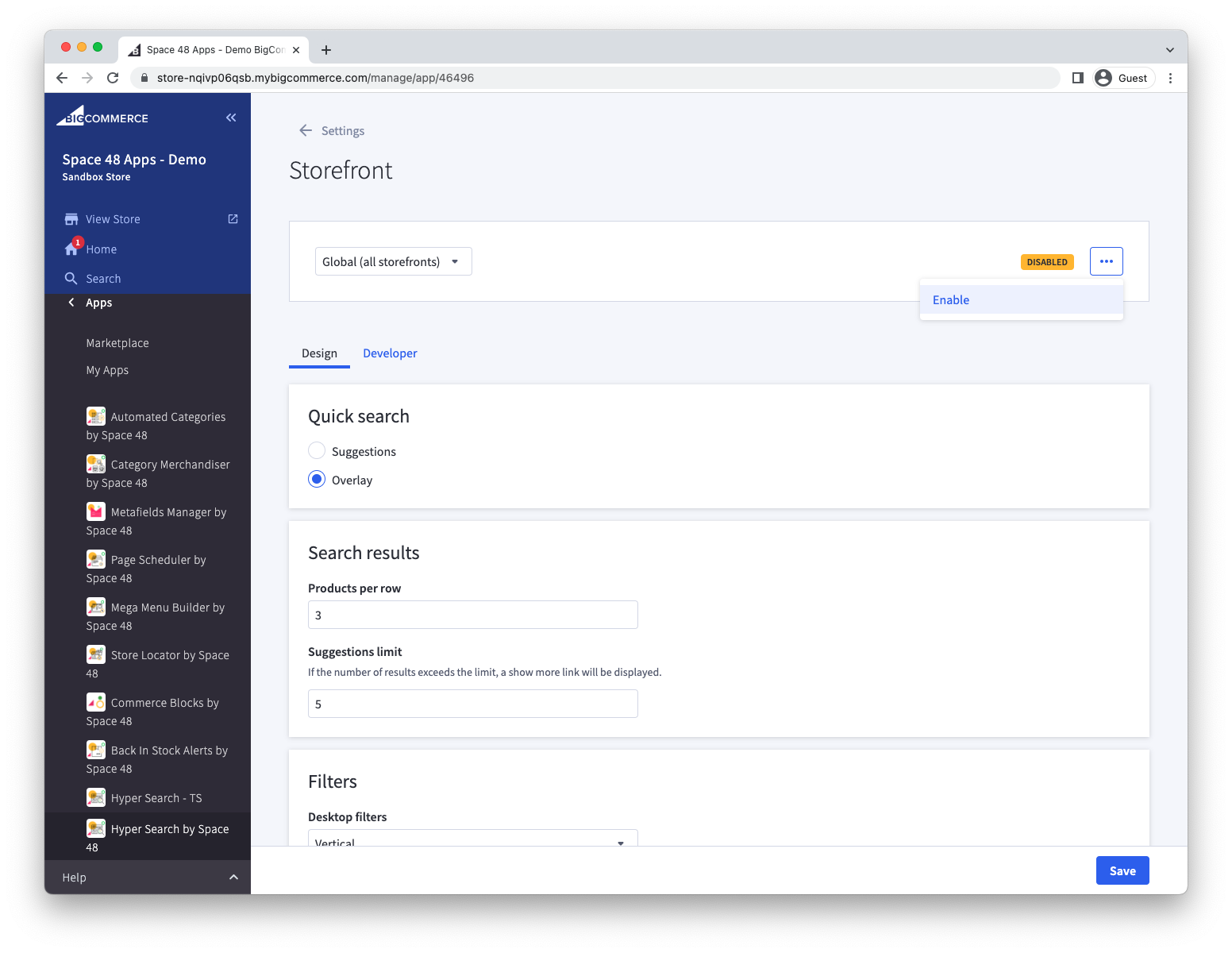
Customise the product grid template
To match the search product cards to your theme, open Settings > Storefront > Developer.
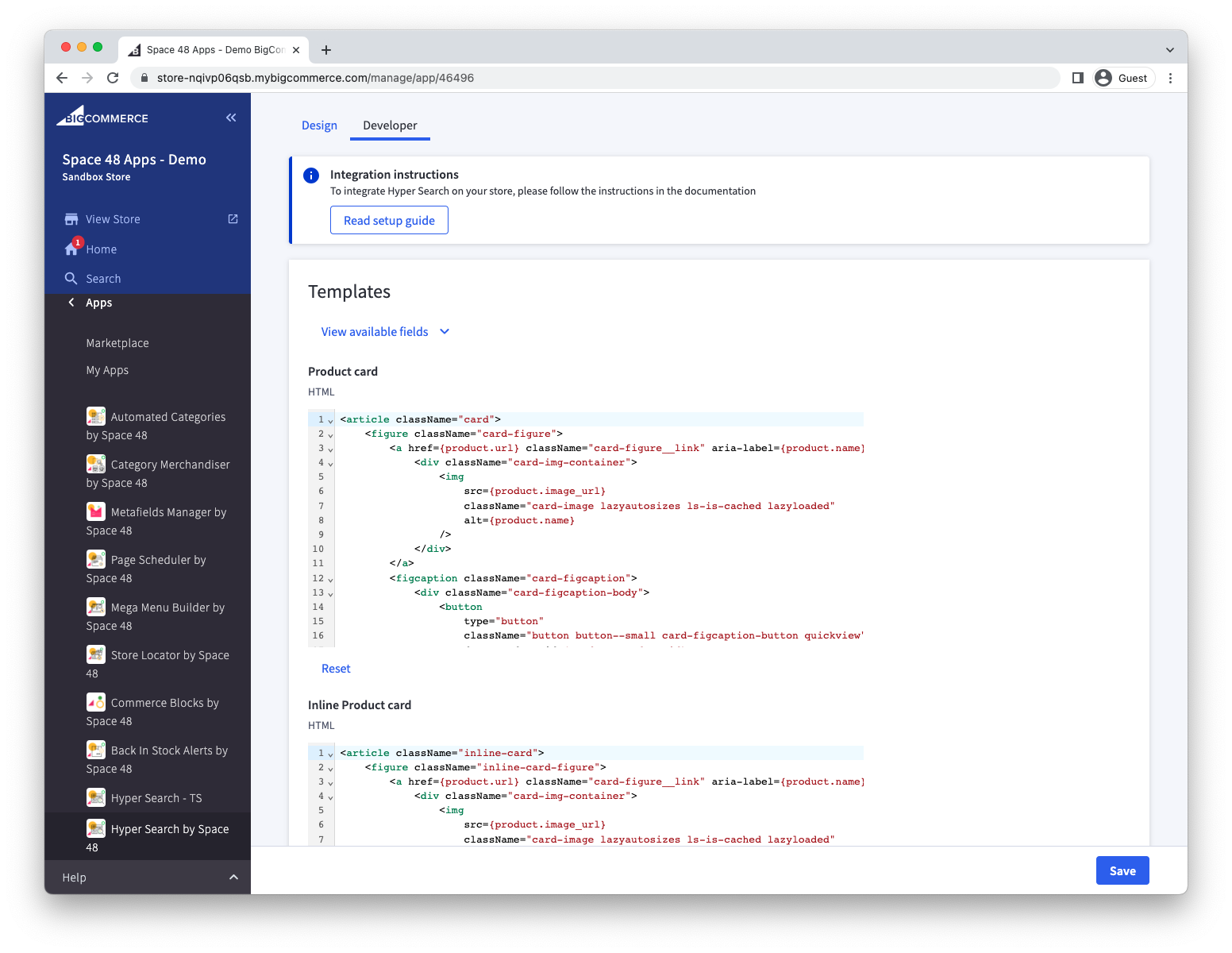
Product card templates use JSX. Output a field with braces, for example {product.name}.
Available product fields
| Field | Description |
|---|---|
product.brand | Brand name. |
product.categories | Array of category names. |
product.channel_ids | Array of assigned BigCommerce channel IDs. |
product.description | Product description as HTML. |
product.display_price | Formatted product price with currency. |
product.hover_image_url | Deprecated; use product.images instead. |
product.image_url | Variant image when available, otherwise the product thumbnail. |
product.images | All product images, including thumbnail, standard, tiny and zoom URLs. |
product.in_stock | Product availability message. |
product.meta_description | Product meta description. |
product.meta_keywords | Product meta keywords. |
product.name | Product name. |
product.on_sale | Whether the product is on sale. |
product.page_title | Product page title. |
product.price | Base product price as a number. |
product.product_id | BigCommerce product ID. |
product.product_variant_id | ID of the represented product variant. |
product.review_rating_sum | Sum of review ratings. |
product.sale_display_price | Formatted sale price when set. |
product.sale_price | Sale price as a number when set. |
product.search_keywords | Search keywords assigned to the product. |
product.sku | Product or variant SKU. |
product.stock_qty | Available inventory. |
product.updated_at | Date and time of the most recent product update. |
product.url | Storefront-relative product URL. |
You can make additional fields available by adding them as an indexed field.
Available product functions
| Function | Result |
|---|---|
product.getPrice() | Numeric price in the active currency. |
product.getDisplayPrice() | Formatted price in the active currency. |
product.getSalePrice() | Numeric sale price in the active currency, when set. |
product.getSaleDisplayPrice() | Formatted sale price in the active currency, when set. |
product.getMsrpPrice() | Numeric MSRP in the active currency. |
product.getMsrpDisplayPrice() | Formatted MSRP in the active currency. |
product.getOnSale() | Whether the product is on sale. |
product.hasVariants() | Whether the product has variant options. |
product.renderImage(options) | A responsive product image element. |
For other storefront settings, see Customise the design.
Build a custom integration
If the built-in integration does not meet your requirements, you can implement a custom storefront experience. Hyper Search is powered by Typesense; review the Typesense guidance on building search interfaces to understand the available approaches.
Contact support for the connection details for your store. Do not expose those details in public source code.