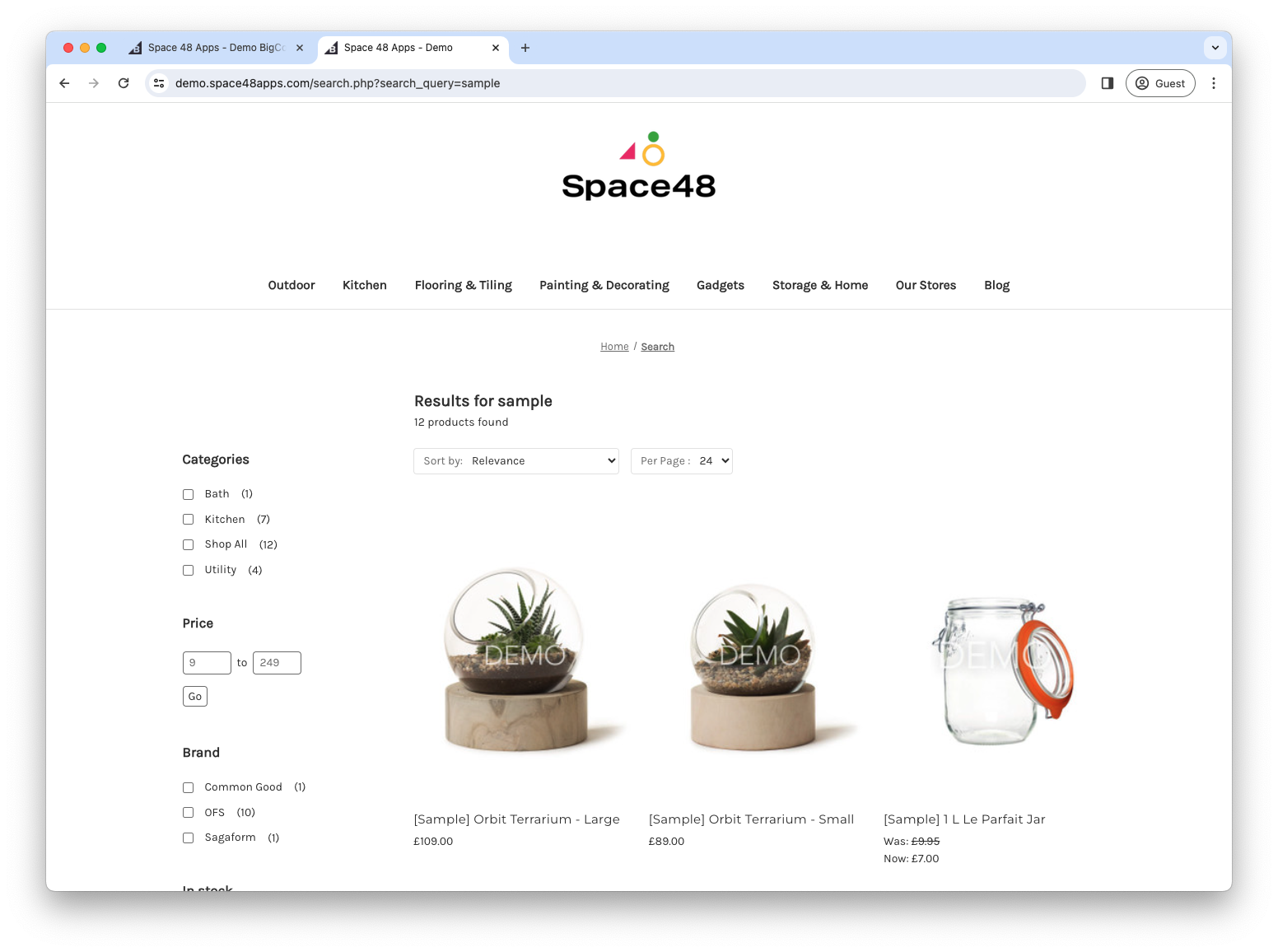
Merchandising
Use merchandising rules to pin products at the top of results for selected searches. Open Settings > Merchandising rules.
Pin products
- Add a rule and enter one or more search terms that should activate it.
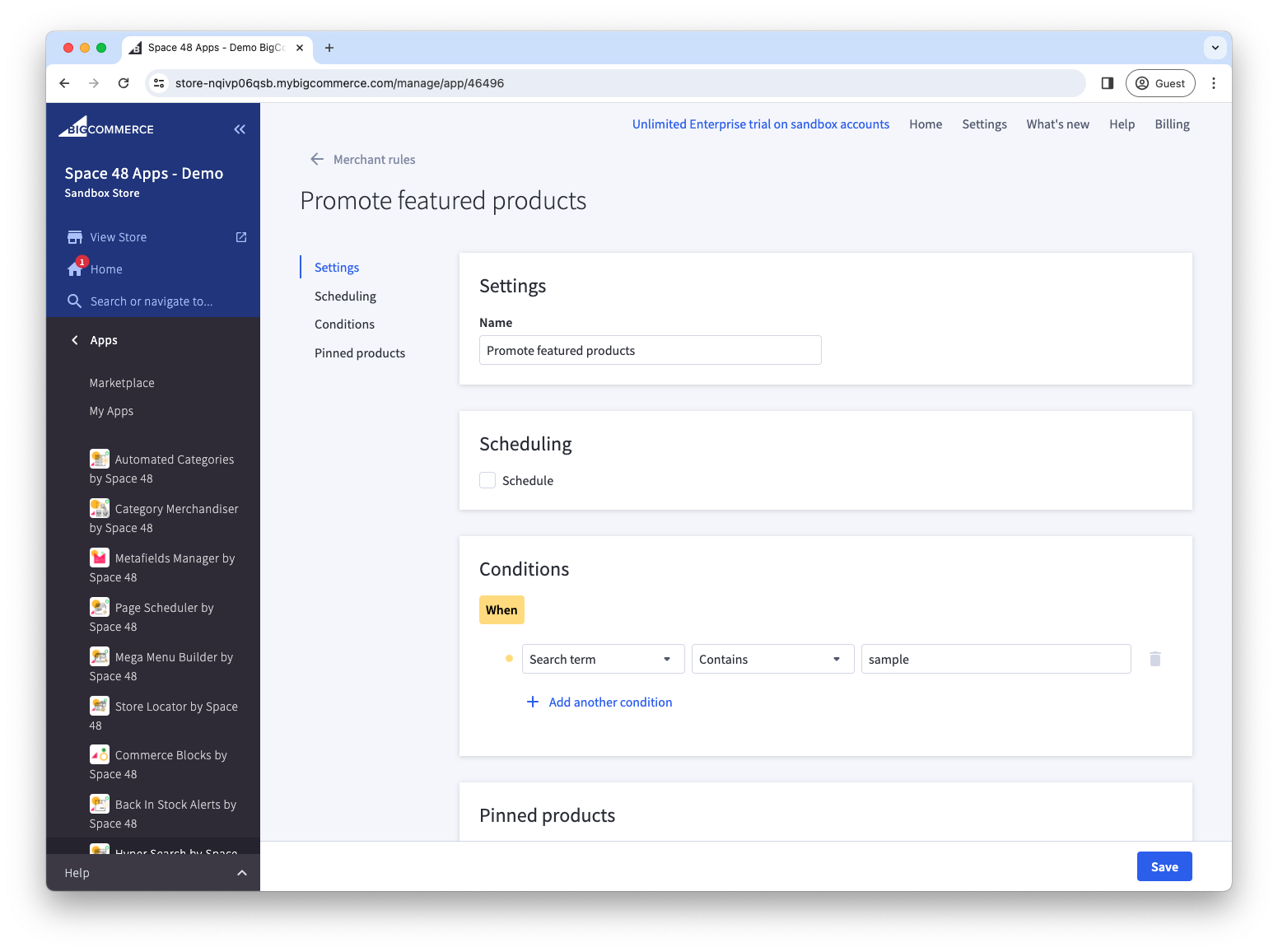
- Optionally add a schedule to control when the rule is active.
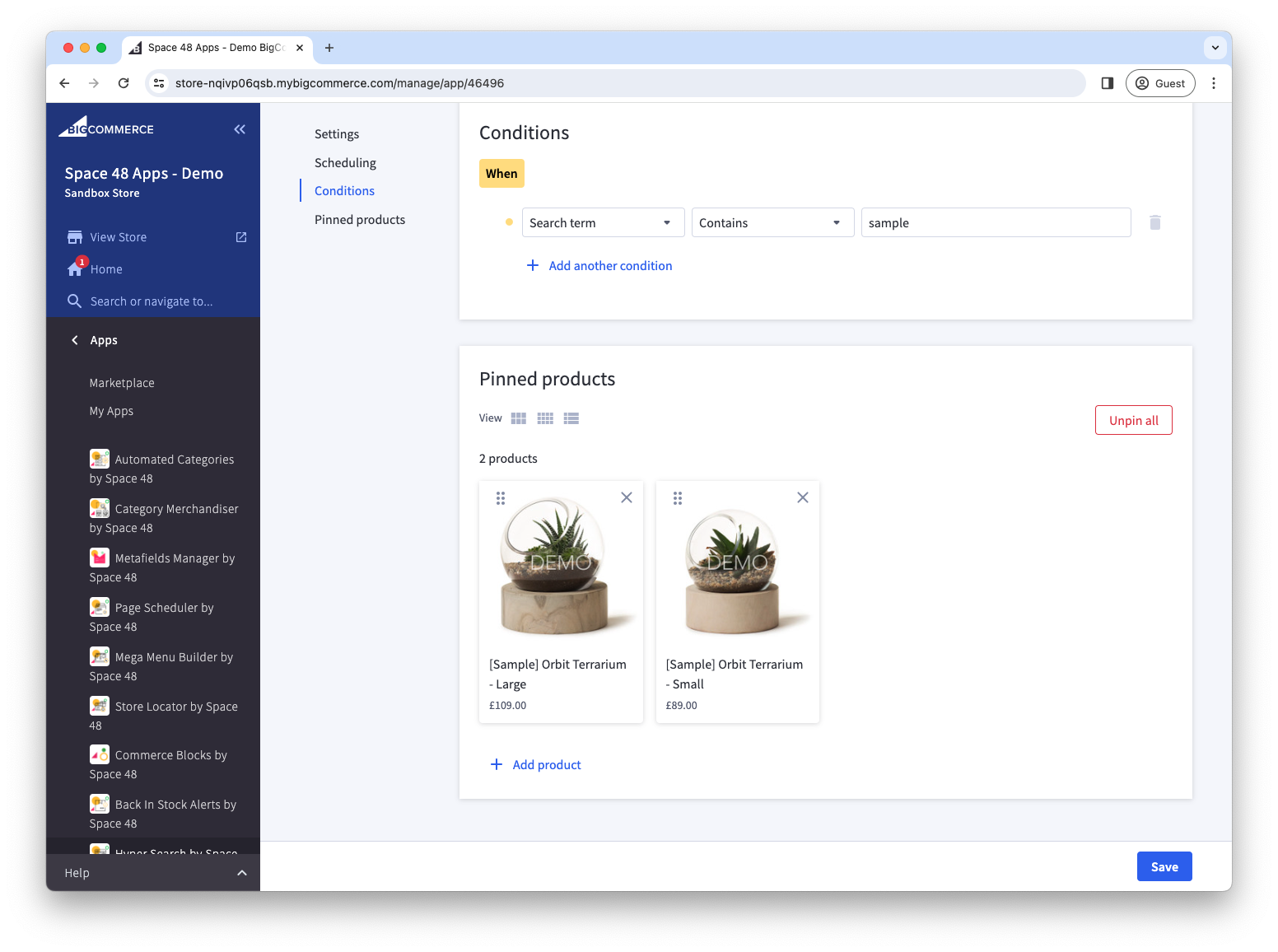
- Search for the products to pin.
- Drag the selected products into the required result order.
- Select Save. Matching storefront searches should now show the pinned products first.